Recommended on macOS
macOS app bundle
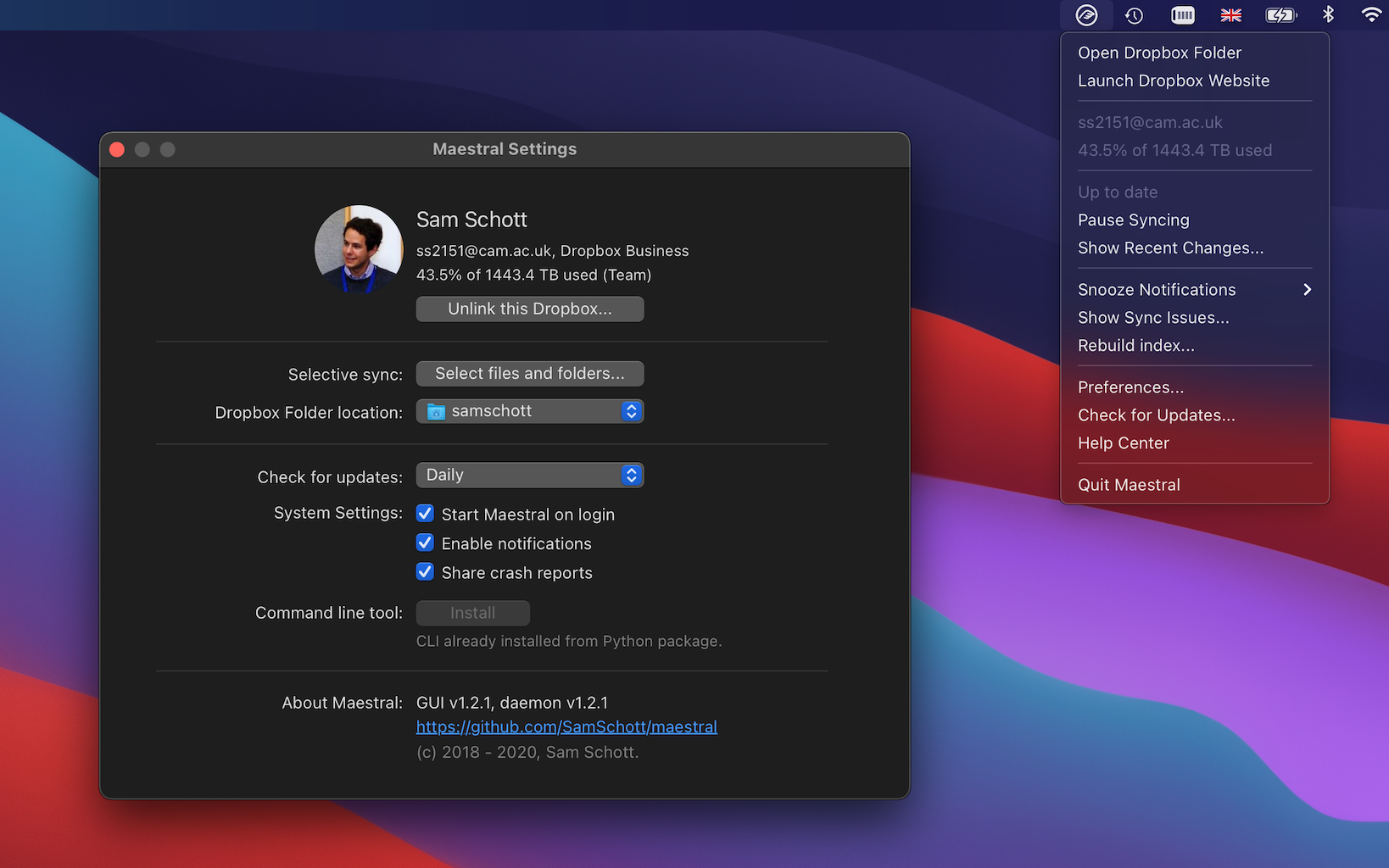
Download the latest Maestral Redux app from GitHub Releases. The bundle includes the Cocoa interface and the sync daemon.
 Maestral Redux
Open-source Dropbox sync for macOS and Linux
A revived, lightweight Dropbox client built for people who want a small native app, a capable command line, and clear control over what syncs where.
Download
Recommended on macOS
Download the latest Maestral Redux app from GitHub Releases. The bundle includes the Cocoa interface and the sync daemon.
Python
Install the daemon, CLI, and the platform GUI dependency.
python3 -m pip install --upgrade "maestral-redux[gui]"macOS
Install and upgrade Maestral Redux with Homebrew.
brew install maestral-reduxContainer
Run Maestral Redux in a container on amd64 or arm64 systems.
docker pull ghcr.io/garyjay/maestral-redux:latestUsage
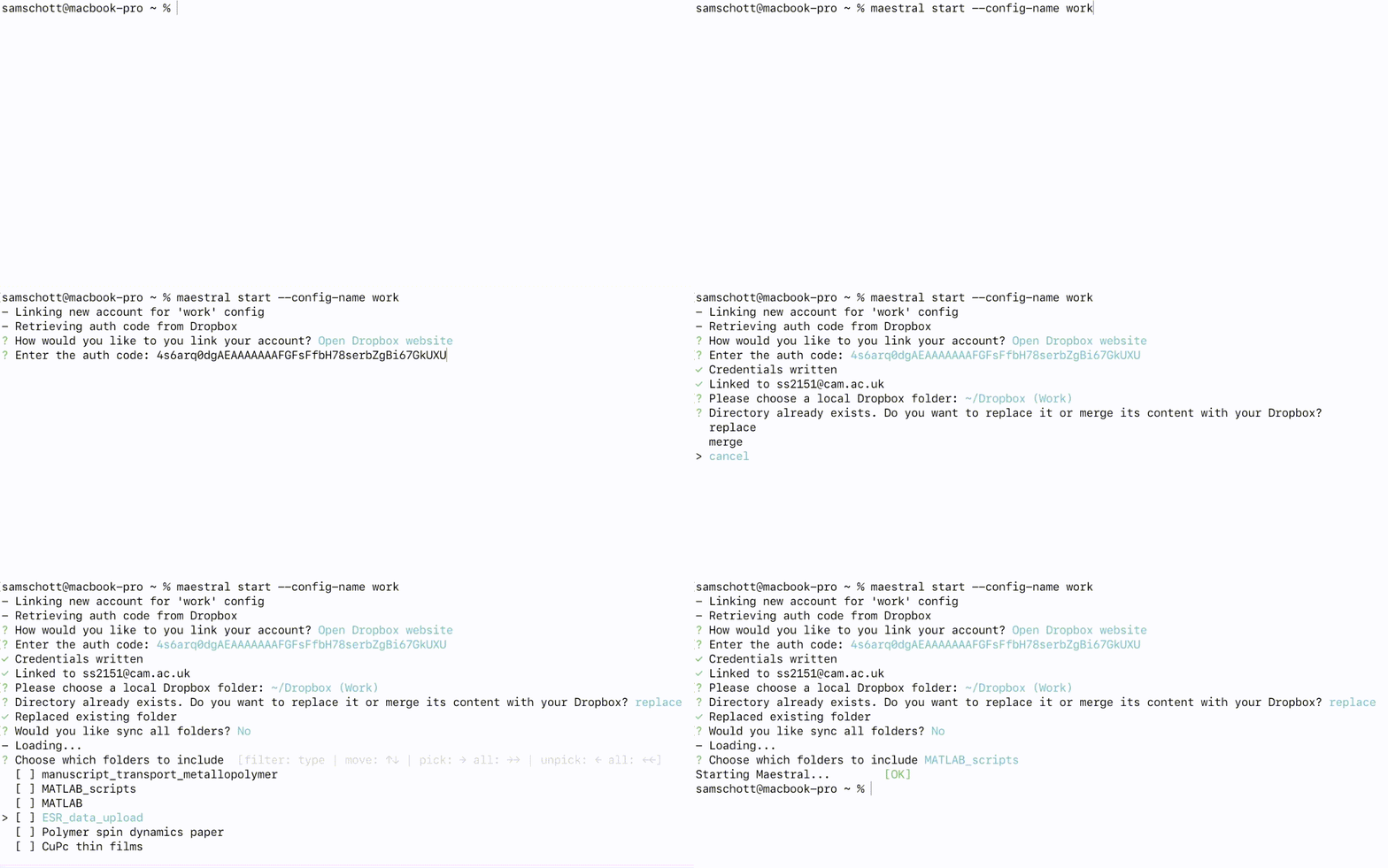
Launch the app on macOS, or run the Qt interface on Linux. On first start, Maestral Redux links your Dropbox account, asks where to put your local Dropbox folder, and begins syncing.
maestral-redux gui
maestral-redux status
maestral-redux pause
maestral-redux resume
maestral-redux excluded list
maestral-redux autostart -Y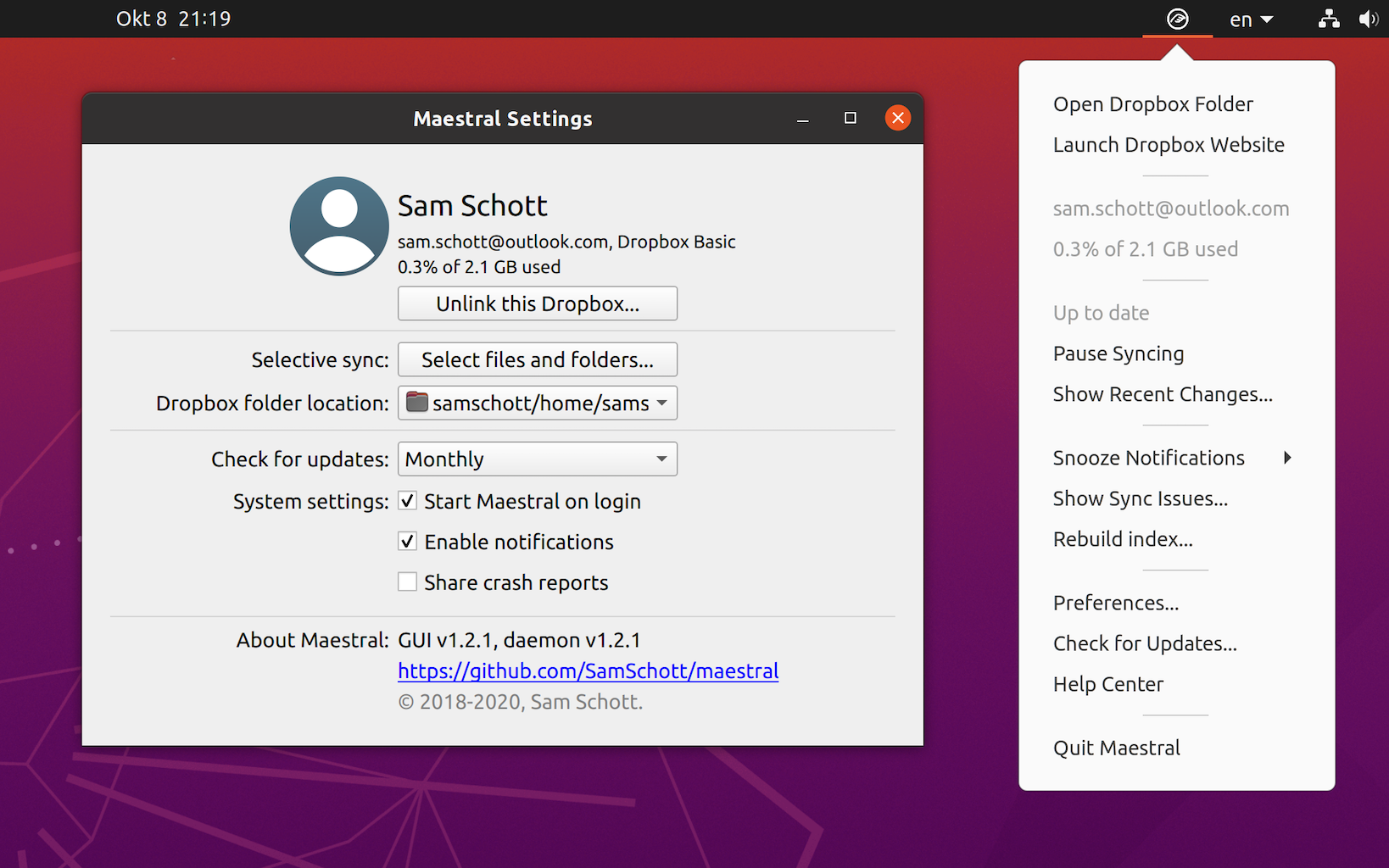
Workflows
Run separate configs for personal, work, or project-specific Dropbox accounts.
maestral-redux start --config-name="personal"
maestral-redux start --config-name="work"Exclude cloud folders from local sync and manage the list from the app or command line.
maestral-redux excluded add "/Archive"
maestral-redux excluded list
Use .mignore files to keep generated files, caches,
and local-only work out of Dropbox.
*.tmp
.venv/
build/
Projects
Compatibility
Maestral Redux supports simple file sync, multiple Dropbox accounts, selective sync, local ignore rules, desktop notifications, and daemon control from scripts.
Support
Maestral Redux continues the archived Maestral family with active packaging, compatibility fixes, and a renamed package set that can coexist cleanly with the original projects.